Gold, Platinum, or Diamond? How to Tell If Your Jewelry Metal Color Is Actually Accurate in Photos

Read | Loved by: 90
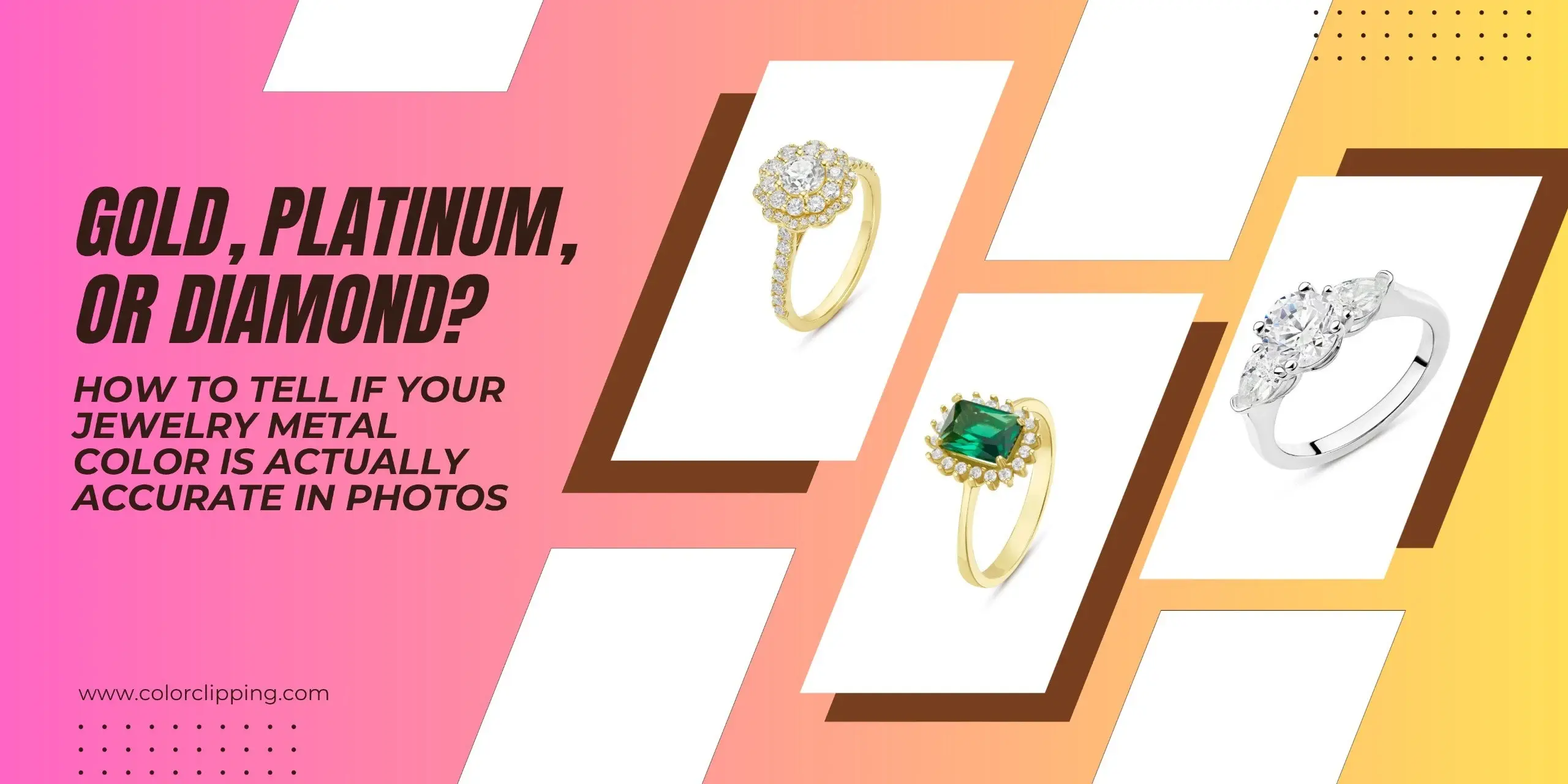
Accurate jewelry color means the photo matches the metal's true color under neutral light. Gold should look honey-warm, Platinum should stay cool grey-white, and diamonds should show soft sparkle and facet depth.
If your jewelry photos show orange, muddy, lifeless color, then you will need a jewelry retouching service to fix the colors.
You may read: Why Jewelry Photos Fail to Convert: 20 Photo Editing Mistakes in Jewelry Retouching.
Why Gold, Platinum, and Diamond jewelry color looks different in photos
Gold, platinum, and diamonds don’t change color in photos for the same reasons. When you take pictures of gold jewelry under warm light, it can appear red or orange. In contrast, platinum and white gold change color due to how they reflect light. When you look at diamonds, their color grades (D to Z) usually don’t show in photos. Instead, the sparkle from the cut is what you mainly see in the images.
Why does gold jewelry look pale in photos?
Gold jewelry looks pale in photos if you are taking the photos under warm indoor bulbs or fluorescent light. This kind of lighting setup puts orange or green casts on jewelry images. Since the camera can't adjust for both hue and saturation at the same time, the photos may make the gold look brassier than it does in person.
Why does platinum look dull/grey in pictures?
Cameras don’t capture the cool tone of platinum in soft or indoor light. When a shiny platinum piece catches bright light, the camera makes the surrounding metal (like the prongs, shank, or inner circle) dull and gray. Plus, the tiny dirt particles on the jewelry tone down highlights and give a muddy or grayish look in close-up shots.
Why does a diamond look yellow in photos?
Diamond jewelry looks yellow in photos because it reflects everything it is surrounded by. Phones and digital cameras can mess up diamond colors under warm or yellow lighting. What should look like a clear or white stone often ends up looking way yellower than it really is.
You can see the difference in real life once you try a high-end jewelry retouching service. It will remove any color casts on your jewelry photos that happen during photography.
3 Ways to Find Inaccurate Color Issues in Jewelry Photos
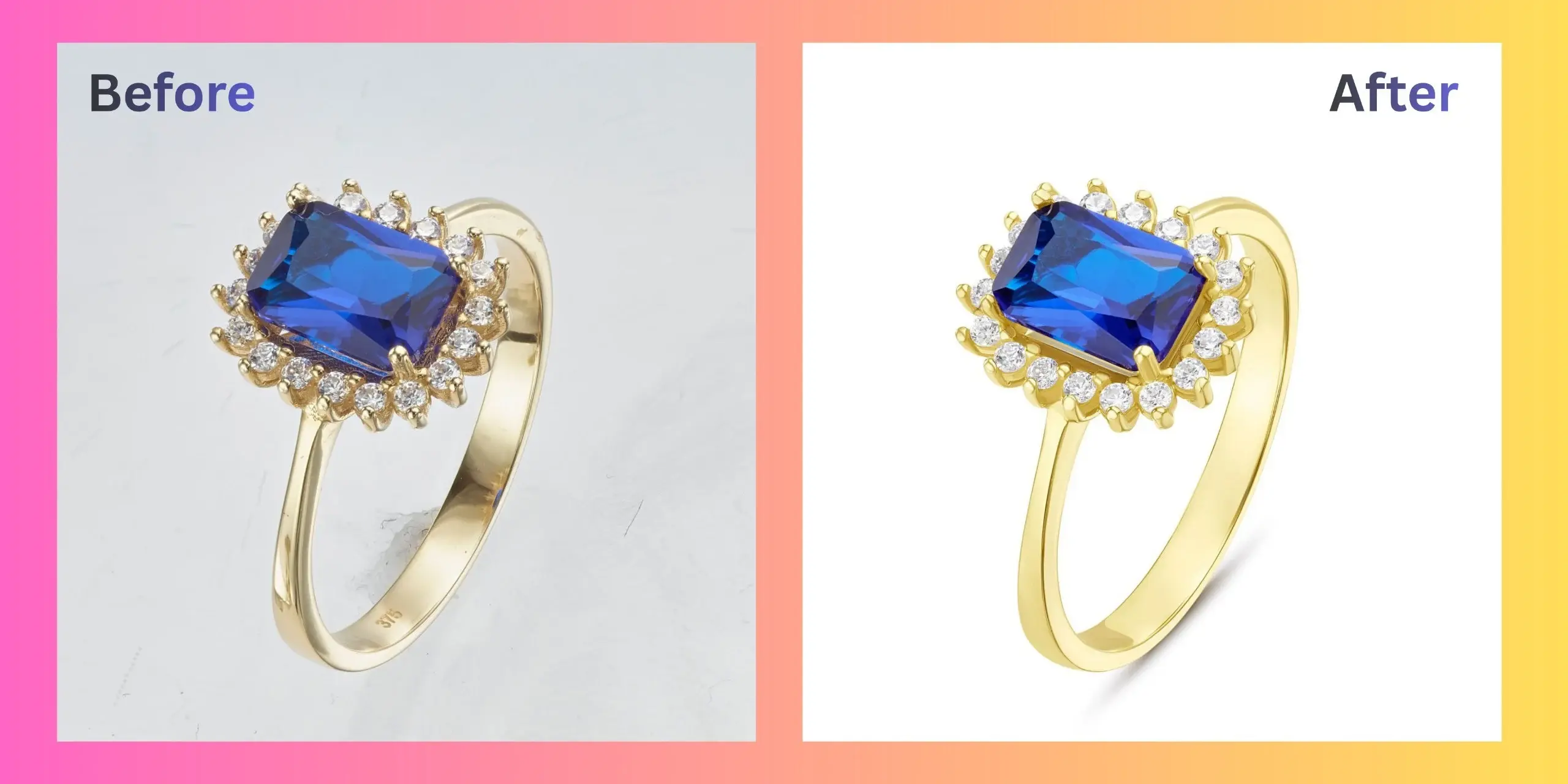
You can detect mismatched color in jewelry photos for one of three reasons: capture, processing, or display.
Capture (Was the image shot correctly?)
When photographers capture the images, multiple things can go wrong. For example, wrong light temperature, a bad angle, or a dirty lens can get into the raw file.
Processing (Was the image edited or color-managed properly?)
Processing problems happen during editing. If there's a missing color profile, a missed white balance adjustment, or a poor metal tone effect, it can all be visible in the final image.
Display (Is the screen showing the image correctly?)
The display of the viewer devices can show a faulty image, too. The screen's dim brightness or blue light filter can make a correct photo look wrong. You can check the image on two devices to spot the difference.
Gold vs platinum vs Diamond: How should each look in photos?
Jewelry sellers do their best to show what real diamonds look like on screen. However, about 56% of raw jewelry images need color and white balance fixing because the studio lighting wasn’t great.
Those inaccurate metal colors lead to incorrect jewelry photos for the customer, which can later break the customer's trust. Here's what accurate jewelry color looks like for each metal, and how to fix it when it isn't.
Gold has the warm-cast problem.
The actual color of the gold should look warm. Real yellow gold sits closer to a soft honey tone. If you photograph a rose gold ring, it should come out as pink.
The problem begins when gold jewelry photographs orange, muddy, or tinted green in listing photos.
Why it happens:
A colored backdrop (green velvet, red fabric) bounces light onto the metal, and auto white balance can't separate "backdrop color" from "metal color."
Warm tungsten bulbs push rose gold toward orange-pink.
Mixed lighting in the same shoot (daylight window + indoor bulb) creates an uneven cast across one piece.
The fix:
Set white balance manually against a neutral grey card during retouching.
Use the Dodge and Burn tools to enhance the light reflection when you retouch gold jewelry.
Compare the metal tone against the model's skin tone in the same photo.
Platinum has the warm-drift problem
Platinum should always look grey-white in photos. When you see a photo of a platinum necklace, you'll notice it has a bright, silvery-white hue and a rich shine.
If your platinum jewelry photos have a yellow tint on them, you need to edit them before posting online.
Why it happens:
Bright studio lights wash out highlights from the platinum and turn it grey
Platinum changes its appearance based on its surroundings. In a dark room or against a bright white background, it will absorb and reflect those colors instead of showing its true bright white tone.
The fix:
Remove unwanted yellow or warm colors from your lighting.
Use a curves adjustment layer to gently adjust the highlights and deep shadows.
Create a natural drop shadow under the platinum jewelry on a separate layer to look more realistic.
Diamonds have an overexposure problem
A well-lit diamond photo shows visible facets and depth. Each stone should look fresh and have a soft sparkle. The details should stand out.
Because of the studio's warm lighting, the diamond jewelry photos appear yellowish. Sometimes, amateur retouchers ruin the photo more by increasing the exposure.
Why it happens:
Multi-directional lights put intense flash on the diamond jewelry image
Overhead lights or the camera lens create dark spots around the stone
Using extra brightness to hide a low grade can distort the stone's natural shine
The fix:
Control exposure instead of maxing it out. Keep the facet lines and internal reflections visible.
Change the overall brightness and contrast to show the true color of the diamond when retouching diamond jewelry.
Judge the edit by whether a shopper can see depth when they zoom in, not by how "white" the stone looks.
When should you retouch the jewelry photos?
When the jewelry photos look better with lighting but still don’t match how it actually looks in your hands. Jewelry color problems almost always start with light.
Color Clipping's high-end jewelry retouching service corrects white balance, highlights, and color casts by hand, on every image. Gold stays warm, platinum stays cool, and the diamond finally looks like the one in the case.