What Is the Ghost Mannequin Effect? (And Why Every Clothing Brand Needs It)

Read | Loved by: 26
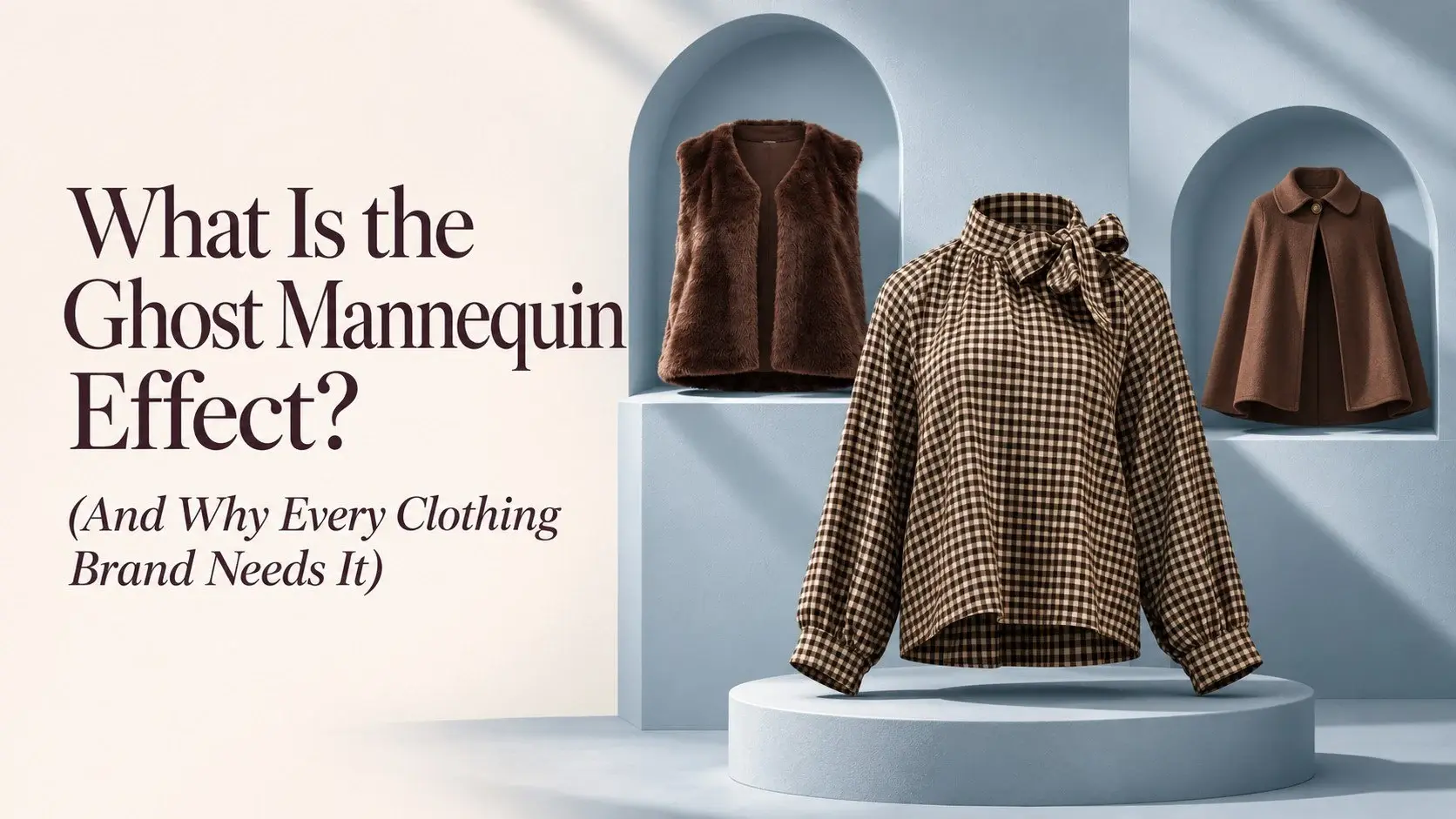
You've seen it a thousand times on Zara and H&M. A jacket standing upright. A dress with shape and structure. No model. No dummy. Just the garment. It looks exactly like someone's wearing it.
That's the ghost mannequin effect. And if you're selling clothing online without it, you're leaving money on the table.
What Is the Ghost Mannequin Effect? A Simple Breakdown
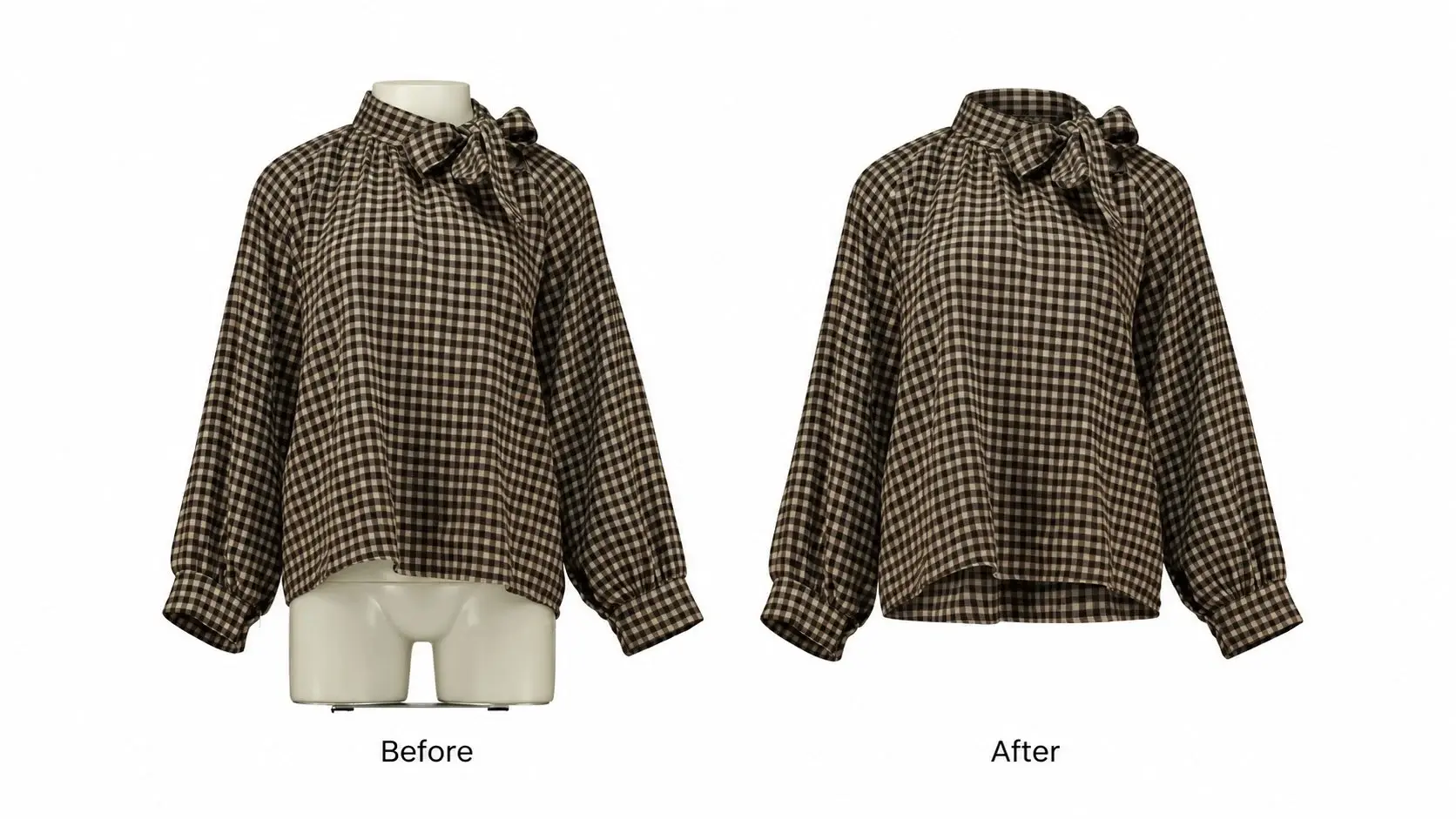
The ghost mannequin effect is a photo editing technique where a mannequin is digitally removed from clothing images. It's also called the invisible mannequin effect, the hollow man effect, or the neck joint effect.
All the same thing.
What you will see is a 3D, lifelike shape. It will look worn and structured, without showing any model or mannequin. Your product looks like it's on an invisible body. That's the whole point.
Why does it exist? Three reasons:
Model shoots are expensive. A half-day studio shoot with a professional model easily runs $400–$1,600+.
Flat lays hide shape. A jacket laid flat on a surface tells you almost nothing about how it fits or drapes.
Ghost mannequin is the middle ground. You get the 3D structure of a model shot without the cost of the model or the scheduling of shoots.
For any brand shooting consistent product volumes, even 20–30 items a month, ghost mannequin is the most cost-effective way to maintain professional-quality images. It's the industry standard for a reason. This technique works across all platforms and makes every garment look its best without requiring a new model shoot every season.
Why the Ghost Mannequin Effect Works (It's Not Just About Looks)
Customers buy what they can picture themselves wearing.
Look at it from a buyer's perspective. They can't touch the fabric. They can't try it on. All they have is your photo. If that photo is a flat lay, they're guessing at the fit. If it shows a shaped, structured garment, they can actually visualize wearing it.
That visualization is what drives the click to purchase.
Here's why ghost mannequin photos directly impact:
Higher conversions. Apparel with visible shape and volume is easier to buy with confidence. Customers spend less time second-guessing.
Fewer returns. Returns spike when customers feel misled. A ghost mannequin image sets accurate expectations. The shape is real, the fit is visible, and there are no surprises.
Platform compliance. Amazon requires clean, white-background images for main product listings. Shopify themes are built around consistent, clean photography. Ghost mannequin fits both without any extra work.
Consistent catalog. When every product image follows the same format, your store looks like a real brand. That consistency builds trust before a single word is read.
Scale without cost. You can photograph 100 products on a mannequin in a day. Doing the same with a model would take a week and cost significantly more.
Most store owners already know this. The problem isn't understanding the value. The problem is getting from the photoshoot to the finished image. That's where things slow down and where most people compromise on quality.
The good news is you don't have to do the editing by yourself anymore.
Also Reads: Why flat-lay photos lose customers: common drawbacks
How the Ghost Mannequin Effect Is Created (Step by Step)
Getting to know the process can really help you clarify how you'd like your photos to turn out. Here's a simple breakdown of how it works:
Photograph the outside of the garment on a mannequin: Front, back, and any detail shots. Even the sleeve cuffs, collar detail, and hem finish.
Photograph the inside: Collar, hem, and sleeve openings. This is the step most people skip and regret later. Without these interior shots, the neck joint edit won't work properly.
Remove the mannequin: Use clipping paths and layer masking to remove the mannequin from the photo. This isolates the garment from everything else in the frame.
Blend the interior shots: This is the neck joint step. The inner collar photo fills in the visible gap where the mannequin's neck was.
Fix the shape: Smooth wrinkles, align hemlines, correct any asymmetry in the garment.
Add natural shadows: It gives the garment depth and a realistic 3D look. Without this step, the image looks cut out and fake.
Export in platform-ready format: Correct dimensions, file size, and color profile for Amazon, Shopify, Etsy, or wherever you sell.
Steps 3 through 6 are where most photographers and ecom owners struggle. It's technical. It's time-consuming.
A small mistake can ruin the whole image, and buyers might notice without knowing why. Even experienced editor users spend 45–90 minutes per image on a complex jacket. If you're running a business, you probably don't have hours to spend on a single product photo.
The Different Types of Ghost Mannequin Edits
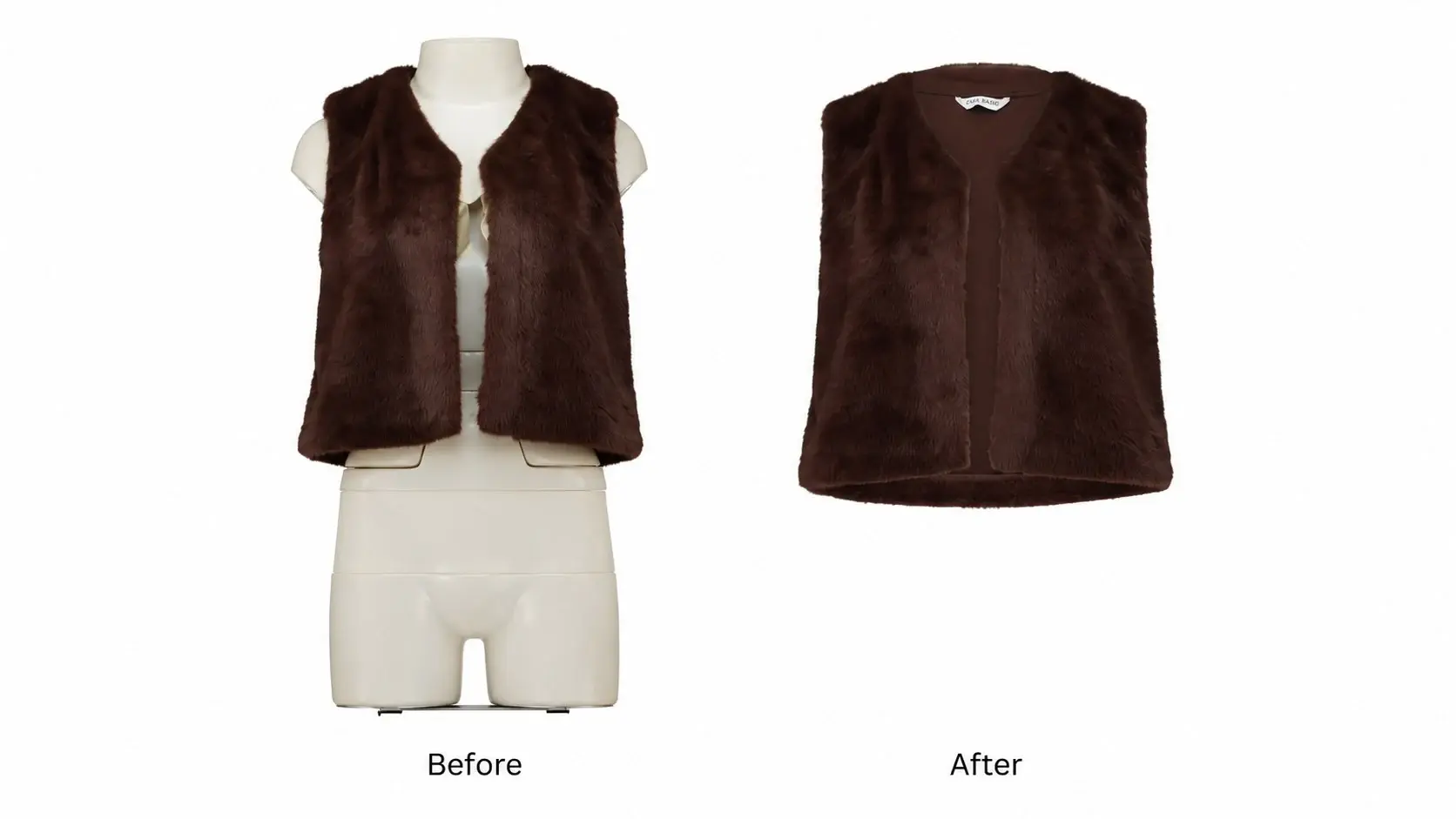
Not every garment needs the same edits. A plain white tee and a structured blazer are completely different editing jobs.
Here's a breakdown of what's available and when to use each:
What you can do is use basic edits for bulk clothing and 3D edits for your hero products or bestsellers. This will keep your costs manageable without compromising the quality.
Relatable Reads: How to Add Drop Shadow in Photoshop - Easiest Tutorial
Real Example of Using the Ghost Mannequin Effect for a Brand
HaiLys GMB is a clothing brand that wanted to give its flat-lay images a ghost-mannequin 3D look. They came to Color Clipping for help because they were looking to boost their sales. They had already taken the photos but needed a better way to show them off.
We offered them:
Photography consultations
Neck Joint & Sleeve Joint
Torso & Body Shaping
White Background Removal & Cleanup
Color Correction & Consistency Matching
Marketplace Compliance Editing
Dedicated team with multi-stage QC
HaiLys GMB got:
950K+ images since 2017
57% increase in conversion
64%increased in add-to-cart actions
All happened because buyers could finally see what they were getting from HaiLys GMB.
Don't Have Time to Do This Yourself? We Do It For You.
You've already done the hard part, which is the photoshoot. The last thing you need is to spend another 3 hours per image in Photoshop, watching tutorials, and redoing collar blends.
Color Clipping handles every step. It can do invisible mannequin removal, neck-joint blending, shape correction, wrinkle removal, symmetry fixes, and 3D shadow work. All in one order.
Here's exactly what you get:
15+ years of apparel photo retouching experience
10,000+ global clients from solo Shopify stores to large fashion studios
Professional results at a price that scales with your volume
48-hour standard turnaround, with 6-hour rush available
Free trial for your first image, so you can see the quality before committing
Dedicated project manager for every-sized project
24/7 human support, not a chatbot
Discounts on big volume projects
You don't need to learn Photoshop or hire a full-time editor. All you have to do is send us the photos. We send back finished images ready to publish.
Is Ghost Mannequin Editing Right for You?
Well, not every business needs this. However, most clothing brands do. Ghost mannequin editing is probably not the right fit if you sell non-apparel products, primarily shoot lifestyle content, or have a model-based brand identity.
But if you're selling structured garments and your current images don't clearly show shape and fit. This technique will make a visible difference in how your products are perceived.
If any of this sounds like your situation, ghost mannequin editing will save you time and bring more sales to your images.